Are mobile credit card readers a good choice for small businesses?
Smartphone credit card readers offer small businesses flexibility and mobility when processing customer purchases.
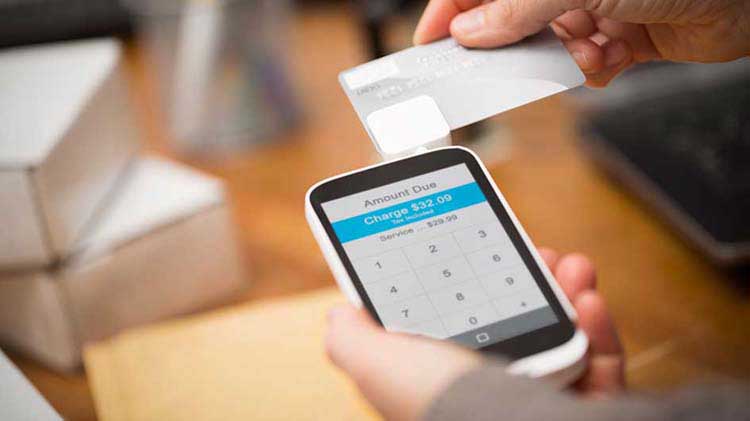
Mobile credit card readers let you turn your smartphone or tablet into a reliable credit card reader for your business. Instead of traditional hard-wired card readers, a small, lightweight smartphone credit card reader plugs directly into a mobile device. And with 85% of Americans owning a smart phone, it’s no wonder these devices have become increasingly popular among small businesses.
A tablet or smartphone card reader can allow you to make more sales in ways and in places you hadn’t thought possible before, so it might be able to help you grow your small business. But is it right for your business?
Consider your customers' purchasing habits
General acceptance of debit card, credit card, and other payments varies by customer and consumer demographic. Consider:
- Are they moving away from carrying cash and would appreciate the card option?
- Would they feel comfortable having their card swiped on a smartphone or tablet?
A mobile card reader could help you sell at big events, such as festivals, community events, or out-of-store locations. This flexibility can help you test new markets and reach customers who prefer the convenience of cashless payments.
Weigh costs and potential fees
Determine whether your business could make enough card sales to cover the costs of accepting mobile payments. Look at each processing company's various rates and per-purchase processing fees - many providers charge a small transaction fee for each sale. Compare these fees with your projected increase in sales to decide if mobile readers make sense for your business.
Pay close attention to any fees associated with the volume and average value of your card-purchase sales. Some providers advertise low rates but add extra costs for advanced features, technical support or quick deposits.
Deciding between a pay-per-use (pay-as-you-go) or a contract plan
When finding a payment plan for your credit card reader, consider your sales volume. If your business will be processing less than $2,000 a month in card-payment sales, consider pay-per-use payment plan. With that, you’ll only pay fees when you use the card reader.
If you process less than $2,000 many months but have peak periods when you exceed that, you'll want to average out the year and see if a contract plan for your card reader makes more sense. Contract plans may offer lower transaction rates for higher, consistent sales but this could become costly if your volume drops.
Setting up your mobile card reader
Starting with mobile card readers can make sales smoother wherever you do business. By following these steps, you can begin accepting cards confidently and securely.
1. Choose your processing company
When selecting a processing company, understand its hardware and software requirements for processing credit or debit cards. Some companies' devices work across a variety of systems, while others operate only with the more popular devices.
You'll also have to download special software or an app to complete the card processing. Accounting software may also need to be installed to handle the management reports that come with these services.
2. Set up a merchant account
Once you have chosen a processing company, you’ll need to set up a merchant account. Typically, a processing company may provide an e-commerce payment gateway that safely and securely completes the purchases for you. Having a merchant account helps ensure that you can receive payments and build trust with your customers.
3. Select a device
Consider a separate device just for your business. This may come with extra costs for a service plan and data, but having a dedicated device keeps your work and personal life separate and can make customers and employees feel more comfortable, since it won’t be your personal phone. If you opt for a separate device, check that it can run the card reader app provided by your processing company.
4. Check your wireless connection
Some card processing services operate via your phone or tablet's mobile network, but others require a Wi-Fi connection. If it's the latter, see that you have reliable Wi-Fi service wherever you plan to use your mobile reader.
If you have multiple people processing transactions at the same time in your store, you may experience slowed-down Wi-Fi speeds. Investing in a reliable Internet connection can help ensure your transactions are fast, keeping you and your customers happy.
5. Train and support your employees
As you are hiring and training your employees, your processing provider may help your team learn how to use most of their service options.
When considering payment options for small businesses, the question isn't whether to accommodate cashless purchases but how. When looking at a mobile credit card take time to evaluate your business' card-processing needs, research the available services and fees. Then, choose the option that best fits your needs.
This content was developed with the help of AI and reviewed by State Farm editors.
The information in this article was obtained from various sources not associated with State Farm® (including State Farm Mutual Automobile Insurance Company and its subsidiaries and affiliates). While we believe it to be reliable and accurate, we do not warrant the accuracy or reliability of the information. State Farm is not responsible for, and does not endorse or approve, either implicitly or explicitly, the content of any third party sites that might be hyperlinked from this page. The information is not intended to replace manuals, instructions or information provided by a manufacturer or the advice of a qualified professional, or to affect coverage under any applicable insurance policy. These suggestions are not a complete list of every loss control measure. State Farm makes no guarantees of results from use of this information.
Neither State Farm® nor its agents provide tax or legal advice.