How to secure your smart home devices
Help keep your smart home secure with these security tips.
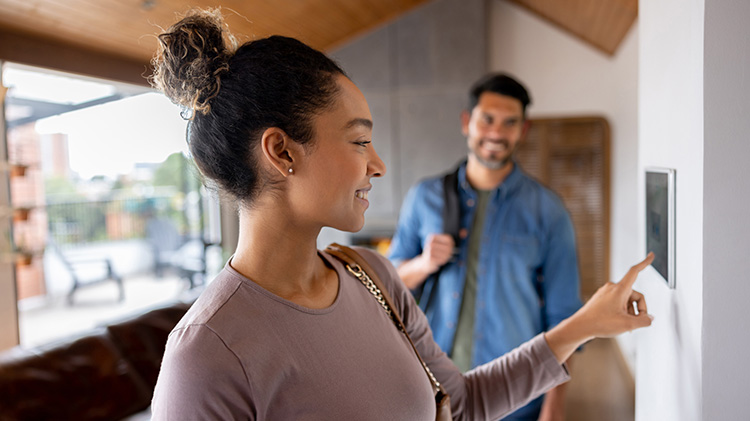
Today's homes feature a large number of devices connected to the internet — everything from kitchen appliances and smart thermostats to light bulbs and always-on security cameras. While there's convenience to being able to turn off forgotten lights, adjust usage when nobody’s home to save energy or monitor who comes and goes, a smart home system can also create a security headache.
Cyber security protocols aren't nearly as strong for home devices as what you would find on a laptop or smartphone. And because they're connected to the internet, these devices are a potential doorway into your laptop and smartphone if they're on the same network. Once there, cyber thieves could have access to your identity, banking credentials, credit card numbers and other personal information. It’s become a common issue, as the Federal Trade Commission estimates that total losses caused by identity theft in the U.S. equal $10.2 billion, according to IdentityTheft.org.
Tips to help secure your smart home from a data breach?
- Understand your devices. Your smart home security system is only as strong as its weakest link. Understand which of your devices can connect to the internet or be vulnerable in some way.
- Keep your smart devices to a minimum. Take an inventory of the digital entry points into your home and consider consolidating. Only use devices that you need and power off devices when not in use.
- Confirm your home network is secure. Take some time and learn the different settings on your modem and router, the hub of your home network. There are multiple types of Wi-Fi encryption, each made as an improved version of the last.
- WPA3 (Wi-Fi Protected Access 3) is the most modern encryption format and is typically recommended.
- Routers manufactured before 2020 may have WPA2 encryption, which is decent but outdated. You may want to consider upgrading to new equipment to utilize WPA3.
- WPA and WEP are the original encryption standards. It is not recommended to use these as they are susceptible to exploits.
- Change all the default passwords. When you get a new computer or smart home device, immediately create a new Wi-Fi password before you connect it to your home network. See that you are using a strong, unique password for each device.
- Disable remote access to your router. Most people don’t need to change the modem or router's settings from outside the home. If you're among those, remove access to help prevent hackers from trying to access your network remotely.
- Enable a firewall. Most routers at home act as a firewall by constantly monitoring traffic to block unexpected, unwanted or specifically malicious traffic. Even though the small computers inside your smart devices may not be capturing sensitive or personal information, they are an entry point so they should be behind a firewall.
- Use the guest network option. This allows guests to connect to your home network while not opening access to your personal devices through the main network. You can also use the guest network for connected home gadgets that you want to separate from the network used for your computer, phone and printer. By connecting your home gadgets to the guest network, something like a compromised refrigerator shouldn’t become a gateway for someone to access more sensitive information.
- Set unique passwords. Consider having different passwords for each device you use and update your passwords regularly.
- Split your network. Utilize both the 2.4 GHz and 5 GHz frequencies from your router on different devices so that some of your devices might still be secure if one is compromised.
- Factor in multifactor authentication. Don't rely on passwords alone to keep your devices safe. Check to see if your system offers two-factor authentication, which adds an extra security layer to the login process, such as a security key or a one-time code received by text. Even if a hacker is able to steal your password, this makes it much less likely that your phone gets hacked.
- Consider disabling Wi-Fi Protected Setup. This rarely used feature is designed to allow for easy device setup on a home network with a simple PIN, but some implementations have serious security flaws.
- Update regularly. Just as you would update your computer or tablet, do the same for home devices. Vulnerabilities are found all the time in the software and firmware, and regular updates are made to help provide protection against them.
- Install antivirus and anti–malware software. Install this on all your computers in your home and those of the guests you might bring into your home.
- Buy reputable brands. The lowest price product may lack key safety features or capabilities. When purchasing network equipment, consider your options carefully and research company reviews before purchasing.
- Monitor the network. Keep an eye on the devices connected to your network every so often and see that you recognize each one. If you notice something irregular, change your password.
If you think you might be susceptible to identity theft due to a security breach in your smart home systems, consider identity restoration insurance.
The information in this article was obtained from various sources not associated with State Farm® (including State Farm Mutual Automobile Insurance Company and its subsidiaries and affiliates). While we believe it to be reliable and accurate, we do not warrant the accuracy or reliability of the information. State Farm is not responsible for, and does not endorse or approve, either implicitly or explicitly, the content of any third-party sites that might be hyperlinked from this page. The information is not intended to replace manuals, instructions or information provided by a manufacturer or the advice of a qualified professional, or to affect coverage under any applicable insurance policy. These suggestions are not a complete list of every loss control measure. State Farm makes no guarantees of results from use of this information.